
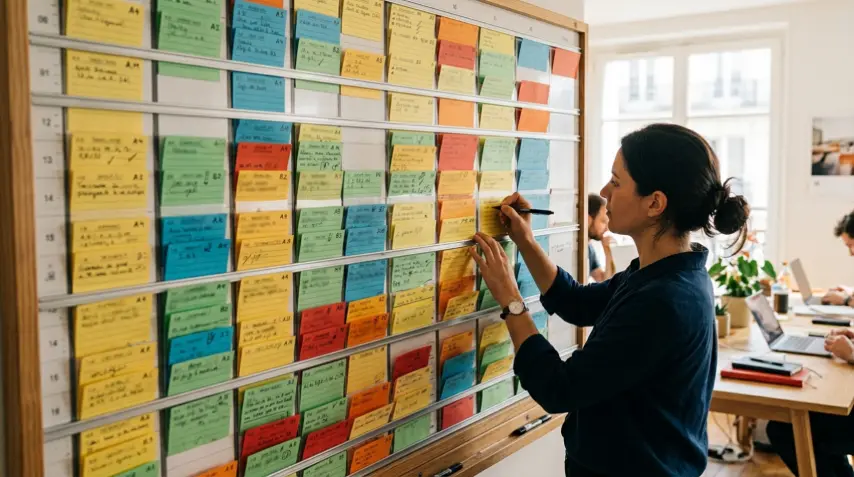
Online sign-up sheet: a ready-to-use structure
An online sign-up sheet answers one precise question: who is coming to which slot? The dates are already set, and each person signs up for the ones that suit them. It is neither a form collecting information, nor a poll looking for a date.
This page describes how a sheet is structured, which rules keep it readable, and what shapes it takes depending on the situation. Each situation then points to a detailed guide.
Were you looking for a Word or Excel template?
That is often what people type first: "sign-up sheet template". If what you need is a document to print, this page offers none, and printing is sometimes the right choice.
Paper still makes sense when the list goes round on site, at the door of a hall or on a stand, or when a handwritten signature is required.
A spreadsheet has limits as soon as several people have to sign up remotely. You have to copy next week across, maintain the formatting, check the dates, sort out sharing rights, and plenty of people cannot fill in a cell from their phone.
An online sheet removes those steps: no file to download or send back, a link to share, and a list everybody sees up to date.
The anatomy of a sheet
A Kreneau sheet is organised in four levels, from the broadest to the most precise.
The sheet. A title, an emoji if you want one, and an optional description (up to 800 characters). The description is where instructions go: where to meet, what to bring, which name to enter when signing up.
The days. Each day is a real date, picked in a calendar, with an optional title such as "Open day". The day of the week is computed from the date, so it cannot be wrong.
The slots. Each day holds up to 21 slots. A slot carries a time, a short description (50 characters), an emoji, and if needed a minimum and maximum number of participants. It can also show a comment, and an "Important" comment presented in an amber box.
The roles. Optional, up to eight per slot, each with its own name, emoji and limits. They are for when a single slot brings together people with different functions: coaches and members, trainers and trainees, adult helpers and children.
To sign up, a participant types a name and, if they wish, a comment. They have no account to create, and neither does the organiser.
The rules for a readable sheet
One sheet per audience, not per period. One sheet per class, per section or per event reads in a few seconds. For a schedule that runs on, keep the same sheet: only upcoming days count towards the 42-day limit, and past days fold into a "Past days" section, collapsed by default, then are deleted after 15 days. The link you shared stays valid.
Slots named for what they are. "Advanced - area 2" rather than "7pm". The time alone does not distinguish two activities happening at once.
A maximum when capacity matters. A full slot closes itself. Nobody has a counter to keep.
A minimum when the session depends on it. As long as it is not reached, the slot or the role shows an amber warning, visible to everyone.
Instructions in the description, not in a separate message. People read what is in front of them at the moment they sign up.
Four structures that keep coming back
Most sheets take one of these shapes. Each has its guide.
Individual appointments. One short slot per person, with a maximum of 1: parents' evenings, interviews, drop-in sessions. Each slot closes as soon as it is taken. The guide for schools and activity centres covers this case.
Recurring sessions with supervision. The same slots every week, a "coach" role with a minimum, a "member" role with a maximum, and a template to generate the weeks. That is a club's structure: the sports club guide builds it step by step, and a climbing club tells how it moved from Google Sheet.
The bounded series. A few days, a few sessions, a beginning and an end, sometimes with several sessions to choose from: courses, workshops, training. The guide to courses and workshops covers those three variants.
Volunteer shifts. A few fixed slots a week, people with very different levels of digital confidence, and sometimes sign-ups made on somebody else's behalf. A charity explains what changed when all its volunteers could finally sign up from their phones.
Not starting from scratch
Once you have found the structure, there is no reason to retype it.
Duplicate. A slot duplicates just below itself, with its time shifted accordingly. A whole day or a whole week duplicates too.
Save a template. For a schedule that repeats, describe an ordinary week and save it with the "Template" button in edit mode. You then generate up to four weeks at a time, on weeks that are still empty, with no sign-ups. Two templates per sheet, for instance the ordinary week and the holiday week.
Reuse somebody else's sheet. On a sheet that has been shared with you, the "Use this template" button creates a new sheet with the same title, the same description, the upcoming days, their slots and the templates, but with no sign-ups. The dates are kept as they are.
When a sheet is not the right tool
The date is not decided yet. What you want is a poll, not a sign-up sheet: the comparison with Doodle and Framadate explains the difference in shape between the two.
You need to take a payment or collect a signature. A sign-up sheet does not do that. The comparison with SignUpGenius shows what a full platform brings, and what it asks in return.
You need to control who can change what. A Kreneau sheet runs on trust: anyone who has the link can edit it or remove a sign-up. That is already the case with a Google Sheet shared the usual way, giving edit rights to anyone with the link. It is what makes it simple to share, and it is a limit if you need access rights.
To get started
Pick the structure closest to your situation, create the sheet in one click from the home page, and adjust as you go: sign-ups already taken stay where they are when you edit the sheet.
Want to see a sheet that is already built before creating your own? Try the one below.